
There is a specific program where you can check the boot messages: dmesg
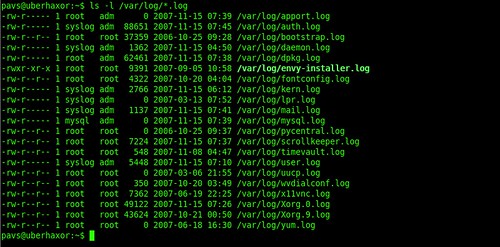
There are also some specific files keeping logs which are:
* /var/log/message: General message and system related stuff
* /var/log/auth.log: Authenication logs
* /var/log/kern.log: Kernel logs
* /var/log/cron.log: Crond logs (cron job)
* /var/log/maillog: Mail server logs
* /var/log/httpd/: Apache access and error logs directory
* /var/log/lighttpd: Lighttpd access and error logs directory
* /var/log/boot.log : System boot log
* /var/log/mysqld.log: MySQL database server log file
* /var/log/secure: Authentication log
* /var/log/utmp or /var/log/wtmp : Login records file
* /var/log/yum.log: Yum log files
* /var/log/qmail/ : Qmail log directory (more files inside this directory)
Some of them may need root privileges to be viewed.
Of course, here I do not list all the deamons as each one may have his own file or directory.
They can be combined with the tail -f command witch outputs appended data as the log file grows.
sudo tail -f /var/log/auth.log | grep 'authentication failure' >> auth_fail.log
for example saves all the authentication failures to the auth_fail.log file.Your Imagination is the only Limitation




 Αναρτήσεις

